


Contacts - Caller ID & Spam
4.070.00 Reviews
App Specs
- Version
- 1.1.8
- Updated On
- License
- Free
- Downloads
- 10,000,000+
- Developer
- Kushaq
- Categories
- Communication
- Platform
- Android
Screenshots
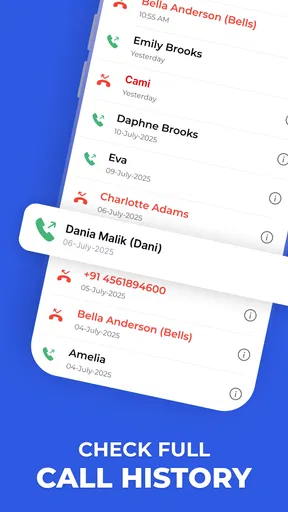
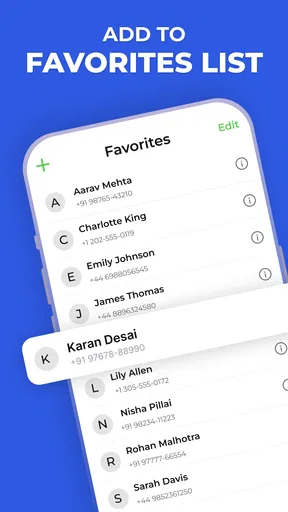
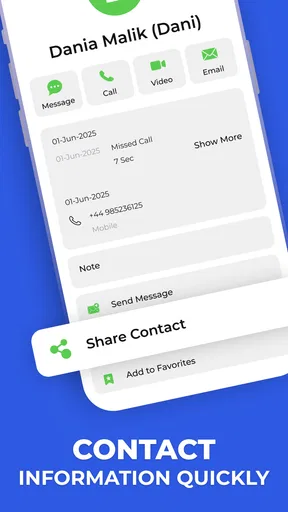
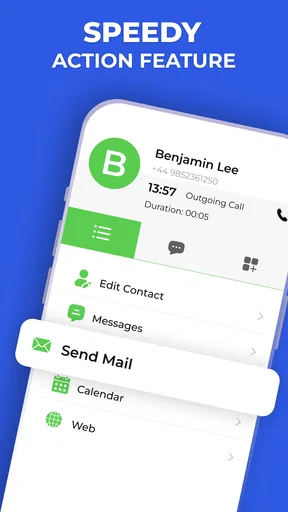
 Analysis by AppCompare
I judge a caller app by what happens when I’m moving, expecting an important call, or trying to get through a busy afternoon without being interrupted. Contacts - Caller ID & Spam brings caller identification, spam handling, and contact management together, which makes it appealing if you want one place to deal with everyday calls rather than juggling separate tools. The useful question is not simply whether it can label a number, but whether that label helps you make a better decision at the right moment.
That decision depends partly on connectivity. Caller information and spam identification can be most valuable when an unfamiliar number appears, but a network-dependent lookup may not be equally helpful in every setting. I would treat identification as guidance, not proof: a label can help me decide whether to answer, while a voicemail or a follow-up message may still be the sensible choice when the call matters.
Using it through the rhythm of a day
I find that a dialer’s value shows up in small transitions: checking a caller while leaving home, looking up a saved person between tasks, or deciding what to do after a missed call. I’d pay attention to whether those moments feel simpler without letting a caller label make the decision for me. That everyday rhythm also makes it easier to see where the app fits across different places and routines.
When a call arrives at the wrong moment
Picture me on the way to an appointment, with one hand occupied and the phone ringing from a number I don’t recognize. Caller ID can make that split-second choice less of a guess, while spam handling may reduce the chance that a nuisance call pulls my attention away. If I’m waiting for a delivery, a clinic, or a return call from someone whose number I haven’t saved, I’d still look at the context before rejecting anything unfamiliar. The practical advantage is a faster decision, not a guarantee that every unknown caller is unwanted.
This is where I’d be most deliberate about how I use a caller label. If the number looks suspicious, I can let the call pass and check the call record; if I’m expecting news, I can answer cautiously rather than assuming the label settles the matter. That small habit helps balance convenience with the possibility of a legitimate caller being unfamiliar to the app.
At home, at work, and between places
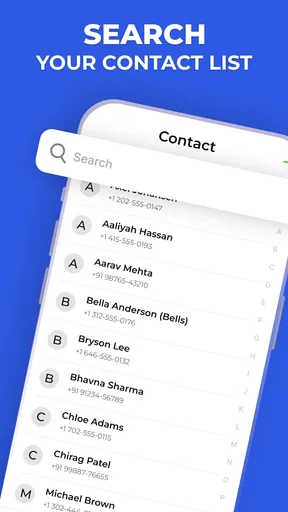
A contact tool earns its place when it saves time in ordinary situations, not only when it blocks a nuisance. The smart dialer is useful when I know part of a person’s name but don’t want to scroll through a long address book. For example, if I need to call a colleague while leaving a meeting, searching rather than browsing can make the task simpler and less distracting. It is also a practical fit for people who make many calls and want a quicker route from opening the phone to reaching a saved contact.
There is a trade-off for people who already like their phone’s built-in contacts and dialer. A familiar system app may feel more integrated with the rest of the device, while a separate dialer can offer a more focused place to manage calls. I would choose based on the friction I actually notice: if searching contacts is slow or unknown calls are a regular annoyance, trying another tool makes sense; if the default dialer already handles those jobs comfortably, switching may add little.
Worth Reading Before You Choose

EA SPORTS FC Mobile 26 Is a Bigger Football Game, but It Takes Time

Flipboard Shows What News Apps Must Do Beyond the Feed

Switching to Android Auto Means Rethinking Your Driving Routine

Google Calendar Makes a Crowded Week Easier to Manage

Ludo King Makes the Most of the Minutes Between Plans

Baby Panda World Brings Quick Play to Modern Phones, but Its Game Library Feels Busy
Because the app works with contacts, I’d also take a moment to review the address book before relying on it. Duplicate entries, outdated numbers, or names saved in inconsistent formats can make any contact manager feel less helpful. Tidying a few frequent contacts first is a simple way to make quick search more dependable, and it avoids blaming the dialer for clutter that was already in the phone.
What to do when identification is uncertain
No caller label should be treated as a perfect identity check. A legitimate number may be unfamiliar, and a spam warning is a reason to be careful rather than a reason to share less cautiously only when the label looks reassuring. If a caller claims to represent a bank or another service, I would end the call and contact that organization through a channel I already trust instead of giving personal details during an unexpected conversation.
It is also worth having a recovery routine for calls that do not go as planned. If I miss something important, I can review the call history and decide whether to return the call, wait for a message, or verify the number another way. If I have manually blocked a number and later realize it belongs to someone I need to hear from, checking the block list and correcting the choice is more useful than assuming every past decision remains right forever.
The backup option is relevant when changing devices, but I would not treat it as a reason to stop keeping important contact information organized. Before relying on a backup, I’d check what is included and make sure I understand how to restore it when I need it. That is a sensible precaution with any contact backup: a feature is most valuable when the restore process is clear before a device change becomes urgent.
Keeping data use and attention in balance
Network access shapes how helpful a caller identification tool can be, especially when the incoming number is not already familiar. I’d use the app with the expectation that connectivity can affect the experience, rather than assuming a fresh identification will always appear instantly in every location. When reception is poor, the safest approach is to fall back on judgment: let an uncertain call go to voicemail if appropriate, then follow up through a known route.
For people watching mobile data use, the sensible first step is to check the app’s own settings and the phone’s data controls instead of guessing how much any lookup uses. I would also avoid repeatedly opening an unfamiliar caller record just to see whether its label changes. A quick glance when a call comes in is usually enough; if the decision is important, verification through a trusted source is more valuable than repeated checking.
Privacy-minded users may also want to review the permissions and settings presented during setup, especially because contact management involves information they may consider personal. I would grant only the access needed for the functions I intend to use and revisit the choices if my needs change. This is not a reason to avoid a contact app outright; it is a reminder that convenience and control should be considered together.
Who is likely to appreciate it
I can see this app suiting someone who fields frequent unfamiliar calls, wants a quicker way to find saved people, and prefers caller tools gathered in one place. It may also be useful for someone who has accumulated a large contact list and often needs to search by name rather than scroll. Kushaq’s communication app has a free price, an Everyone age rating, and an average rating of 4.1 from around 12,000 ratings, giving a prospective user a useful sense of its broad reach without making those figures a substitute for personal fit.
I would be less inclined to recommend it to someone who rarely receives unknown calls, never struggles to find contacts, or is already satisfied with the standard dialer on their phone. It is also not the right answer for anyone who expects caller ID to authenticate people or eliminate every unwanted call. Those expectations are too high for a labeling and blocking tool; cautious call habits still matter.
Compared with using a basic contacts app alone, the appeal here is the combination of contact search and call screening. Compared with relying only on a phone’s built-in spam controls, a separate app may be worthwhile if its dialer and contact workflow suit the way you call. The deciding factor is not the longest feature list; it is whether the extra layer makes your own routine easier without creating new steps or uncertainty.
What I would check before settling in
Before making it my default, I’d test the jobs I actually care about: find a saved contact using the dialer, see how an unfamiliar call is presented, and learn where blocked calls appear. I’d also check that I can recognize a mistaken block and undo it. These quick checks reveal more than simply opening the app and browsing its screens, because they test the moments when a dialer either saves time or gets in the way.
I’d give the spam filter a little time before judging it, while keeping expectations realistic. A reduction in interruptions is welcome, but no filter should be trusted to catch every unwanted call or to classify every unfamiliar one correctly. If a call is important, use a second clue—such as a voicemail or a number you can verify independently—rather than relying on a single label.
First Impressions and Setup
Upon downloading Contacts - Caller ID & Spam, I was greeted with a clean and intuitive interface. The setup was a breeze, requiring minimal input from my end. Just a few taps and I was ready to dive into the app’s features. The user-friendly design made it feel like I’d been using it for years, even though it was only my first day.
The app swiftly synced with my existing contacts, which was a relief. I didn’t have to worry about manually adding each contact or losing any vital information. Everything was right where it needed to be.
Caller ID at Its Best
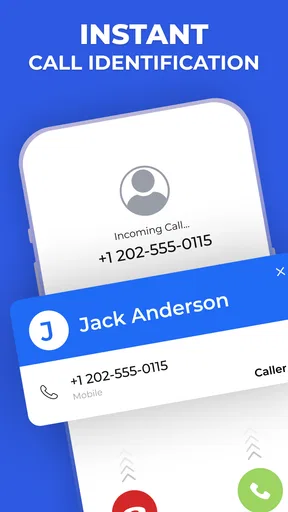
One of the standout features of this app is its caller ID functionality. Have you ever gotten a call from a number you didn’t recognize and hesitated to answer? With this app, those days are over. It identifies unknown numbers in real time, displaying the caller’s name and even their location. This feature gave me peace of mind, as I could easily differentiate between important calls and potential spam.
What’s more, the caller ID is impressively accurate. During my testing, the app correctly identified all legitimate contacts and flagged potential spam. It’s almost like having a personal assistant screening your calls.
Spam Blocking: A Lifesaver
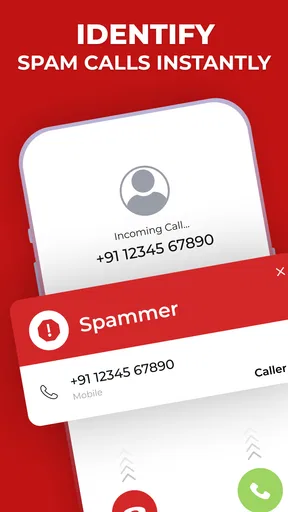
Let’s talk about the app’s ability to block spam calls. We all know how frustrating it is to receive constant interruptions throughout the day. This app comes to the rescue with its robust spam-blocking capabilities.
- The app automatically identifies and blocks known spam numbers.
- It keeps a detailed log of blocked calls, so you can review them if needed.
- You can also manually add numbers to your block list, giving you complete control over who can reach you.
During the time I used the app, I noticed a significant decrease in unwanted calls. It was refreshing to go about my day without my phone constantly buzzing from spam.
Additional Features Worth Mentioning
While the caller ID and spam blocking are the main attractions, the app packs a few more features that enhance its usability. For instance, the smart dialer is a handy tool for finding contacts quickly, especially if you have a long list of entries.
Additionally, the app offers a backup option, ensuring that your contacts are safe even if you switch devices. It’s little things like these that make the app a comprehensive solution for managing calls and contacts.
The Verdict
In a world where spam calls are an increasing nuisance, Contacts - Caller ID & Spam is a useful choice for anyone looking to regain control over their phone. The app excels in identifying callers and blocking spam, making your phone experience much more pleasant.
If you’re tired of constantly guessing who’s calling or being interrupted by unwanted calls, give this app a try. Its user-friendly interface, combined with useful features, makes it a choice worth considering. Trust me, once you start using it, you’ll wonder how you ever managed without it.
At 10 million or more installs, the app has reached a broad audience, and its current version is 1.1.5. It was released on August 6, 2025, and supports Android 7.0 and later. I’d still decide based on how well its calling tools fit my own habits: if I want quicker contact searches and a way to handle unfamiliar calls, it is worth a trial; if I need only a basic address book, the built-in option may be enough.
Pros
- Efficient spam call blocking
- Accurate caller ID feature
- User-friendly interface
- Customizable contact lists
- Fast and reliable performance
Cons
- Contains in-app ads
- Limited free features
- Occasional misidentification
- Needs internet for full functionality
- Some features may require payment
FAQs for Contacts - Caller ID & Spam
What is Contacts - Caller ID & Spam, and how does it work?
Contacts - Caller ID & Spam is an app designed to enhance your calling experience by identifying unknown numbers and blocking spam calls. It uses a vast database to recognize caller IDs and filters unwanted calls, ensuring you only receive important calls. The app integrates seamlessly with your existing contacts, providing a smooth user experience.
Is Contacts - Caller ID & Spam free to use, or are there any in-app purchases?
The app offers a basic version that is free to use, providing essential features like caller ID and spam blocking. However, there are in-app purchases available for premium features, such as advanced spam filtering and ad-free experience. Users can choose to upgrade for a more robust set of functionalities.
How does the app ensure the privacy of my contacts and personal data?
Contacts - Caller ID & Spam is committed to user privacy. It does not upload your contacts to its servers and ensures that your personal data remains secure. The app only accesses necessary information to function properly, adhering to strict privacy policies and industry standards to protect your information.
Can I customize the settings for spam call blocking and caller ID?
Yes, the app provides extensive customization options. Users can adjust the sensitivity of spam call blocking, whitelist specific numbers, and customize notifications. The settings allow you to tailor the app according to your preferences, ensuring an optimal balance between functionality and convenience.
What should I do if the app fails to identify a caller or block a spam call?
If the app fails to identify a caller or block a spam call, ensure that it’s updated to the latest version, as updates often include database improvements. You can report unidentified numbers or spam calls directly within the app to help enhance its accuracy. Additionally, checking the app's settings might resolve any configuration issues.


